Retro Tech
Emulation Handhelds Sorted by Chip, Not by Brand
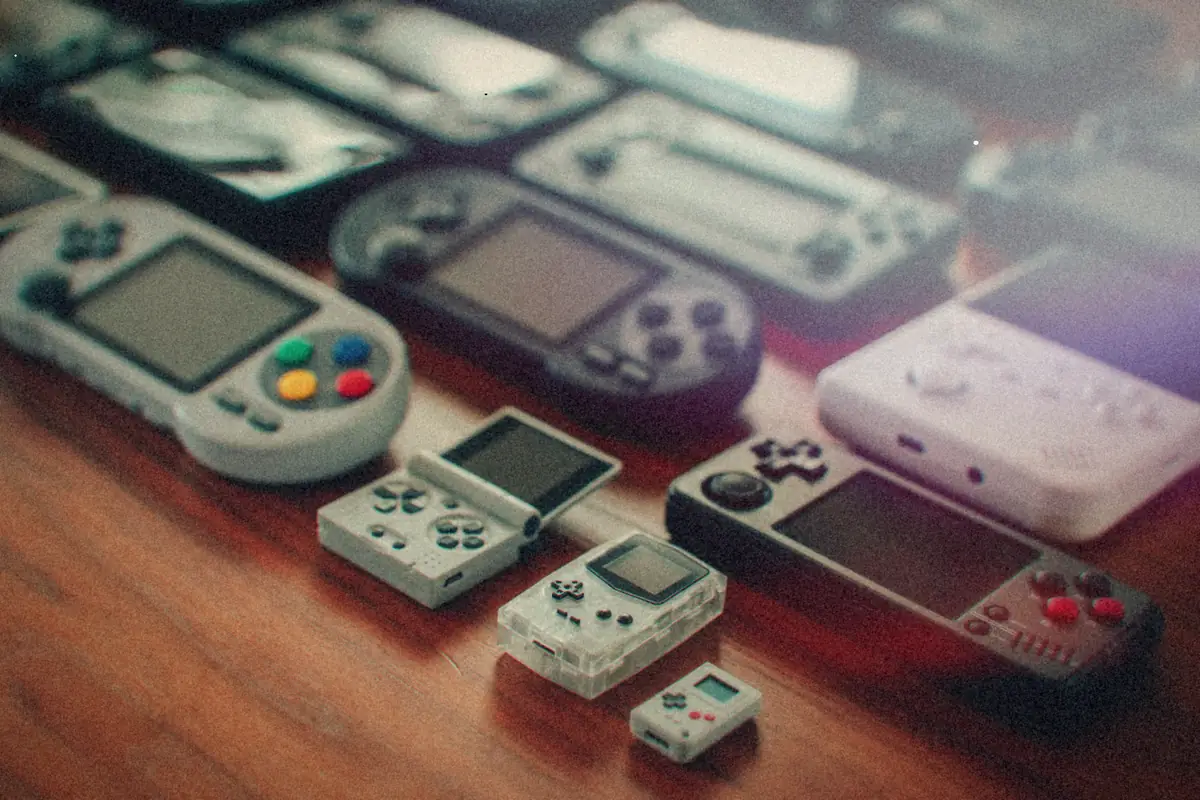
Part 2 of the thread The emulation bench
- What a handheld can play comes down to its chip, not the logo on it. Four tiers cover almost everything.
- RK3566 devices are the value sweet spot: Dreamcast, PSP and a lot of N64.
- Stock firmware is usually the weak spot. muOS, Knulli, ROCKNIX, ArkOS and AmberELEC are the usual replacements.
- Vertical shapes suit 2D and older systems. Anything 3D wants a horizontal one with two sticks.
There are a ridiculous number of little emulation handhelds now, and a new one seems to land every few weeks. The model names don't help: RG35XX, RG40XX, RG406, RG556, Mini Plus, Pocket 4, Smart Pro. It all starts to blur.
The thing that cleared it up for me is that performance comes almost entirely from the chip. Two handhelds from different brands with the same chip inside play the same games about as well. So I sort them by chip first and worry about the brand after.
The four tiers
| Tier | Typical chip | Comfortable up through | What it's like |
|---|---|---|---|
| Entry | Allwinner A133, F1C200s | Game Boy Advance, SNES, Genesis | Linux only, very cheap, long battery life |
| Mid | Rockchip RK3326 | PS1, some N64 and Dreamcast | The long-running budget workhorse |
| Upper-mid | Rockchip RK3566 | Dreamcast, PSP, most N64 | The value sweet spot right now |
| High | Snapdragon 6 and 8 series | GameCube, PS2, some Switch | Android, and priced near a Steam Deck |
Read the right-hand column of that table as "comfortable", not "possible". An entry-level device might technically launch a PS1 game. It'll be much happier with the Game Boy Advance library, and so will you.
Tip
When a new handheld is announced, look up the chip before anything else. If it's one of the chips above, you already know most of what the reviews are going to say.
The brands, briefly
- Anbernic has the biggest catalog and the fastest release pace. The RG naming mostly tracks screen size, so the number tells you roughly how big it is, not how fast.
- Miyoo makes fewer models with a strong reputation for build and screen quality. The Mini and Mini Plus are the well-loved ones.
- Retroid is Android-first, with the Pocket series aimed at the higher tiers.
- AYN makes the Android handhelds at the top of the range, the Odin and Thor lines. AYANEO is a different company that mostly makes Windows handhelds, which puts it in Steam Deck territory.
- TrimUI makes small ones. The Smart Pro is the model people talk about.
Firmware: the part the box doesn't mention
Stock firmware is usually where these devices fall down: clunky menus, odd defaults, missing features. The community fixes that with replacement firmware:
| Firmware | Worth knowing |
|---|---|
| muOS | Popular on recent Anbernic devices |
| Knulli | Batocera-based, for a range of handhelds |
| ROCKNIX | The project that used to be called JELOS |
| ArkOS | A long-standing choice for RK3326 devices |
| AmberELEC | Another mature option for older Rockchip handhelds |
Which ones you can use depends on the exact chip and model, so check the firmware's supported-device list before you flash anything. The Android devices mostly skip this: you install a frontend and emulators like on a phone.
Heads up
Two versions of the "same" handheld sometimes ship with different screens or chips. Match the firmware to your exact revision, not just the model name.
Shape matters more than the spec sheet
This is the one people underestimate. Vertical, Game Boy-shaped handhelds are lovely for 2D games and everything up through the 16-bit era. They're small, they fit a pocket, and a d-pad on the left is all those games want.
The moment you want anything from the 3D era, PS1 on up, you want a horizontal device with two analog sticks. A vertical device with a fast chip is still a bad N64 machine, because the controls are wrong.
So the order I'd decide in:
- What do I actually want to play? That picks the tier.
- 2D or 3D? That picks the shape.
- Linux or Android? Linux devices are simpler and last longer on a charge. Android ones do more, including streaming and movies.
- Then pick the brand and model with the best screen and build in that slot.
I went through that decision for the Android end of the market in picking an Android handheld for emulation and movies. If you'd rather have a box on the TV than something in your hand, the Raspberry Pi setup covers the same systems for less. And at the top end, where these start to overlap with PC handhelds, the EmuDeck hotkeys are the cheat sheet to keep handy.
- GameCube and PS2 Games You Can Play With Just a D-PadRetro Tech
- The Handhelds That Didn't WinRetro Tech
- Sony's Handhelds: Which PSP and Which Vita to BuyRetro Tech
- Nintendo's Handhelds, From Game & Watch to 3DSRetro Tech
- The Steam Deck and EmuDeck Hotkeys I Actually NeedRetro Tech
- A Raspberry Pi Retro Box: What to Buy, What to Run and What It Can HandleRetro Tech